
Bulk edit every WooCommerce product that matches a filter (new in v1.5)
On this page7 sections
Say you filter your store down to every product in the “Clothing” category that’s still in stock. The grid tells you there are 147 of them, spread over 6 pages.
Until now, Bulk Edit worked on the rows you selected. So a change like “raise the price by 10% on all of them” meant selecting and applying page by page. That’s slow, and it’s easy to miss a page.
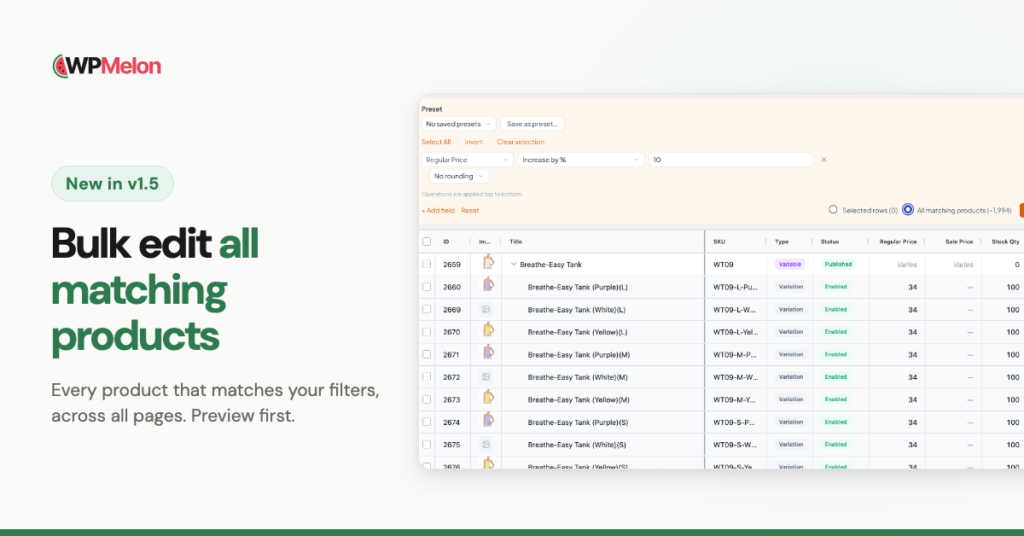
Version 1.5 fixes this. Bulk Edit now has a second option, All matching products: every product that matches your current filters, on every page. It’s in the free version and in Pro.
How it works
- Filter the grid the way you normally do.
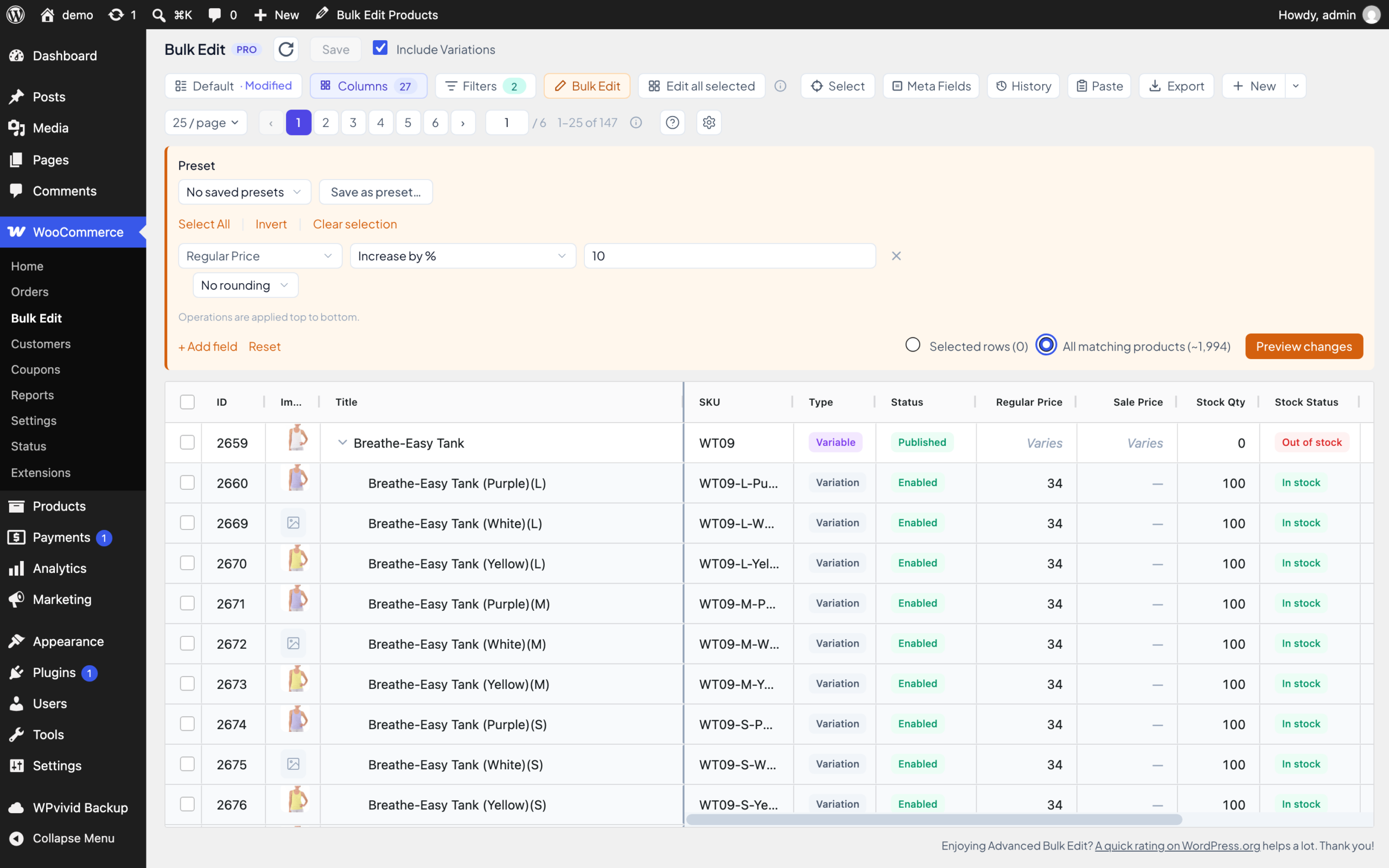
- Open Bulk Edit and choose All matching products instead of Selected rows.
- Add your changes. Same fields and operations as always.
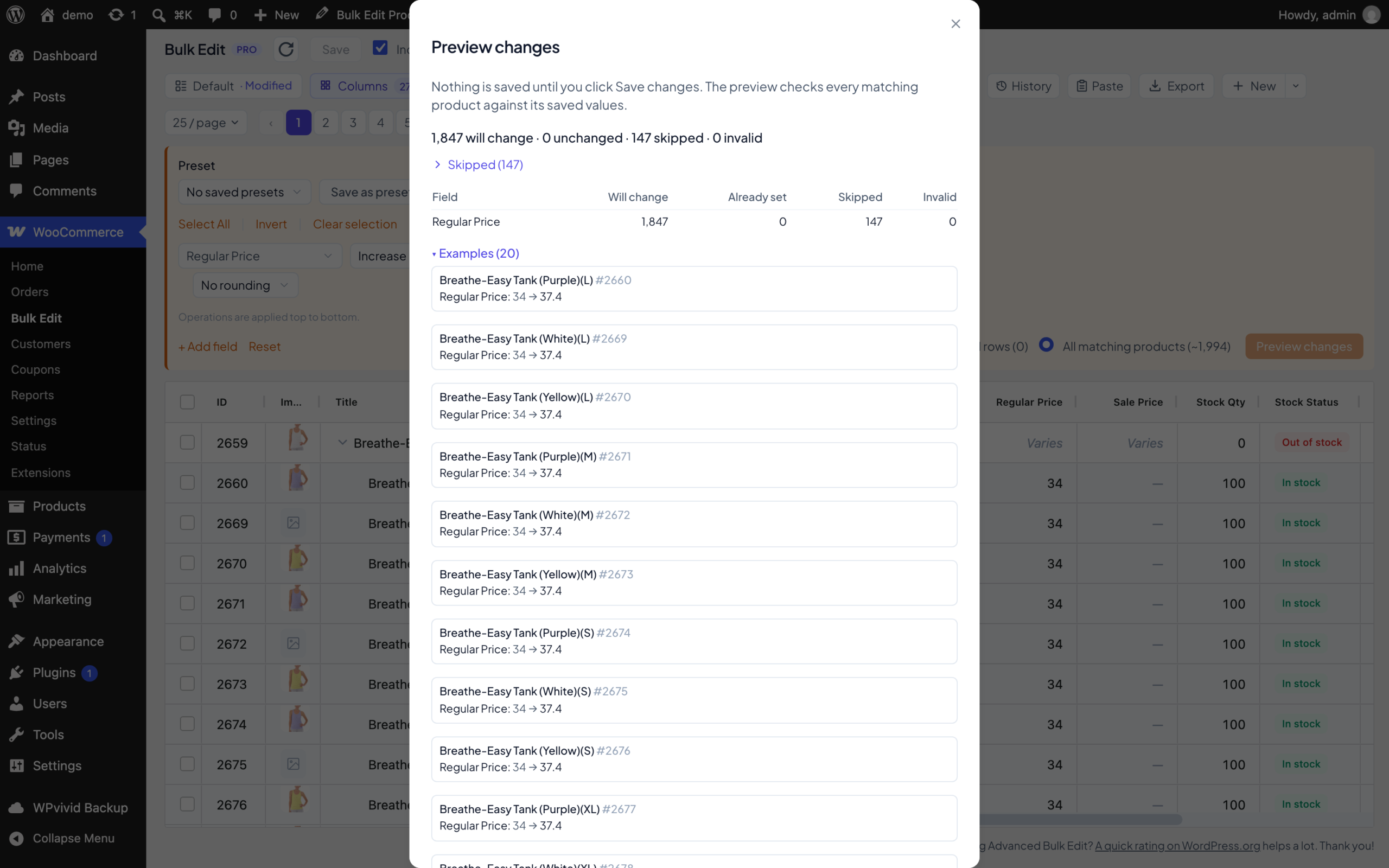
- Click Preview changes. The plugin checks every matching product first and tells you how many will change, and which ones are skipped or invalid, and why.
- Click Save changes. Nothing is saved before this.
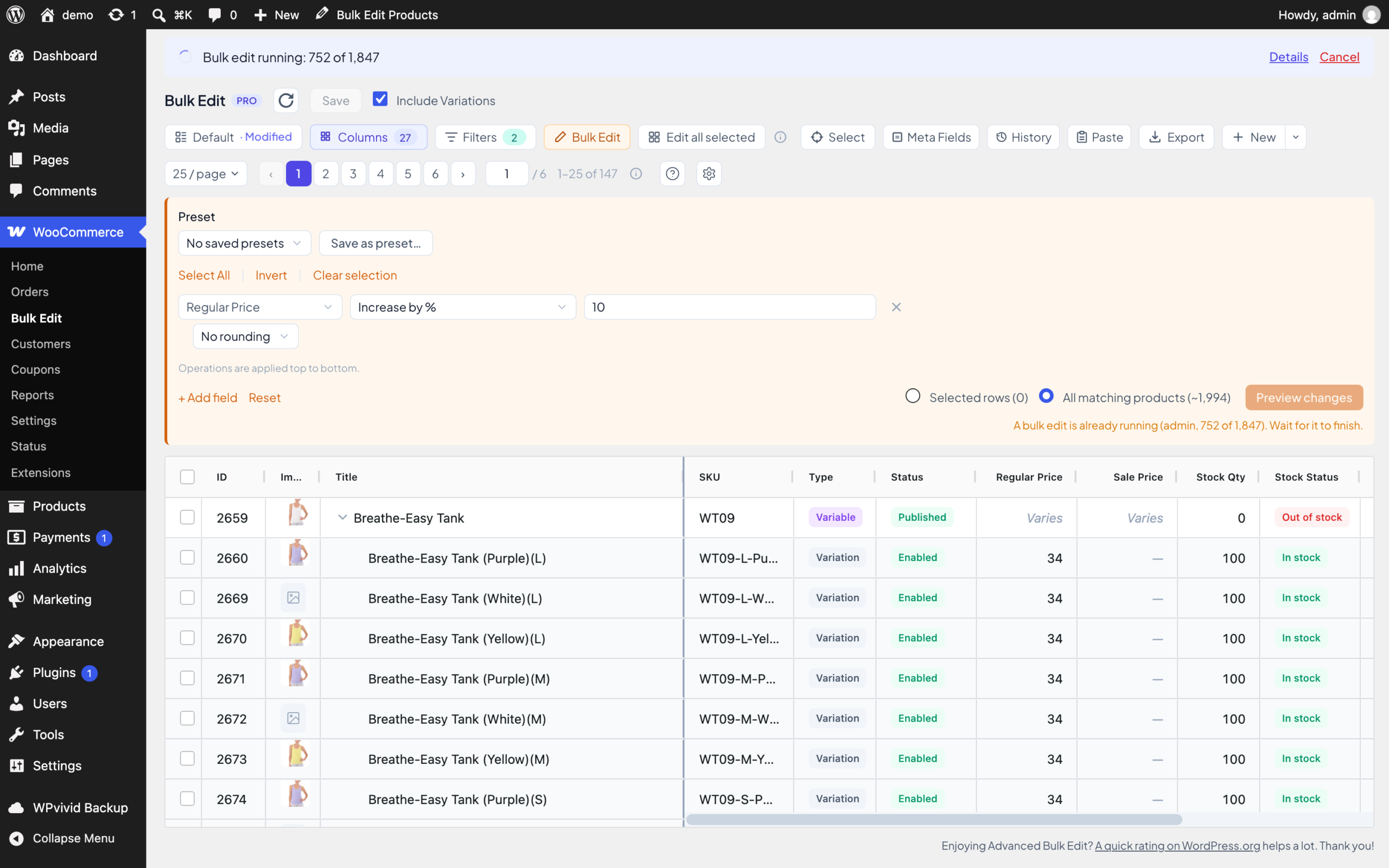
While it saves, you see a progress bar in the dialog and a banner above the grid. You can close the dialog and keep working, the bulk edit keeps going. When it’s done, the grid refreshes. And if you left the screen, a notice shows you the result the next time you open it.
Made for big edits
Editing 1,847 products at once is not the same as editing 20. So a few things work differently here:
- It checks before it writes. If a product changed after your preview, for example someone edited it or an import ran, it’s skipped and listed. It’s not overwritten.
- It tells you what it skipped. Products that can’t take a change are counted and listed with the reason, not quietly ignored.
- It can resume. If a bulk edit stops with an error, or you cancel it, you can resume it for 7 days.
What Pro adds Pro
In Pro, All matching products also works with Pro’s operations and fields:
- Price rounding
- RegExp Find & Replace
- The SKU generator, including the parent SKU and per-variation numbering
- ACF, custom meta and custom taxonomy fields
The preview shows before and after examples for up to 20 products, and for each field how many products will change, already match, are skipped or are refused.
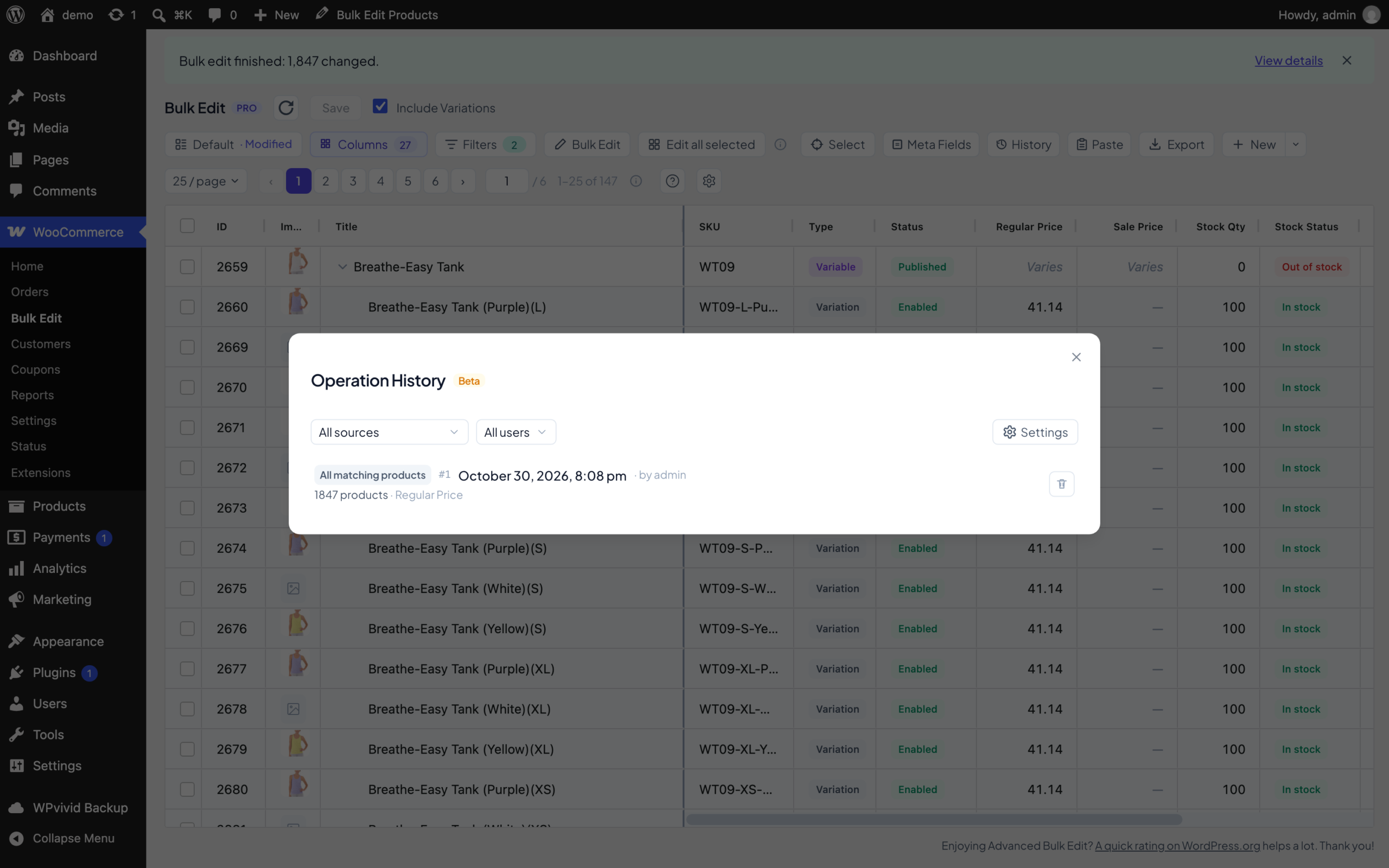
And the whole bulk edit goes into Operation History as one entry, labelled “All matching products”. You can restore it like any other entry, however long it ran. If you have history recording turned off, the preview warns you that the edit can’t be undone, and lets you turn recording on right there.
Also new in 1.5
In Free and Pro:
- A GTIN, UPC, EAN or ISBN filter, with the same match modes as the SKU filter
- A Purchase Note column. Edit it, bulk edit it (handy for swapping an old link in every note at once) and export it
- Selected products stay selected after you save, so you can make several edits in a row on the same products. You can turn this off in Settings
- A new “Change settings only” operation for attributes. It sets “Visible on product page” and “Used for variations” without touching the terms
- An Add image button in the visual description editor
- A Help menu in the toolbar, with links to the tutorials and docs
- A toolbar that works much better on phones
Pro only Pro
- Edit ACF checkbox and multi-select fields, in the grid and with Bulk Edit
- Add a new attribute value straight from a variation’s cell
- Select products by Purchase Note, Button Text, Product URL, Menu Order and Published date in the Selection Manager
Fixes worth knowing about:
- Scheduled sales set in the plugin ended a day early. Now the sale runs until the end of the “Sale Date To” day, like in WooCommerce’s own product editor.
- Some Stock Status changes looked saved but WooCommerce quietly undid them, for example on products with Manage stock on. Now the plugin explains why that field can’t be changed there and offers a shortcut.
- With a currency switcher like FOX, the grid, CSV export and Bulk Edit now always use the prices of your store’s base currency.
- The grid now loads on sites that use Plain permalinks.
The full list is in the changelog.
In case you missed 1.4
Version 1.4 came out on October 9 without a post, so here is the short version:
- Bulk Edit presets Pro. Save a full Bulk Edit setup, with its fields, operations and values, and load it later on any selection.
- Edit all selected Pro. Select products, edit one cell, and the same change goes to every selected product.
- A visual editor for Description and Short Description, so you don’t have to touch HTML.
- A GTIN column for WooCommerce’s GTIN, UPC, EAN or ISBN field.
- Sorting that counts variations. Sort by Stock Status and every product with an out-of-stock variation goes to the top.
- “Is none of” in the Category filter, to exclude categories.
- A paste report Pro. Paste from Excel now lists every value it couldn’t paste, with the row, column and reason.
How to update
Free: go to Dashboard → Updates, or get it from WordPress.org.
Pro: the update shows up in Dashboard → Updates as well. Installing it needs an active license.
Try it
If you use the free version, All matching products is yours as soon as you update. If you want price rounding, RegExp, the SKU generator, ACF fields and Operation History on top of it, that’s Pro.
Black Friday: Pro yearly plans are 30% off the first year, and lifetime plans 15% off, from November 10 to November 30.
See the plansIf you run an All matching products edit on a big catalog, I’d really like to hear how it went. You can reach me through support.
Yas
Newsletter
Get new posts and plugin updates by email
Product updates, new guides and the occasional offer. No spam. Unsubscribe anytime.